 Bookings & Payments
Booked and paid, while you shoot.
Clients choose a session, pick an open time and pay a deposit, any time and from any device. The money goes straight into your own account.
Bookings & Payments
Clients choose a session, pick an open time and pay a deposit, any time and from any device. The money goes straight into your own account.
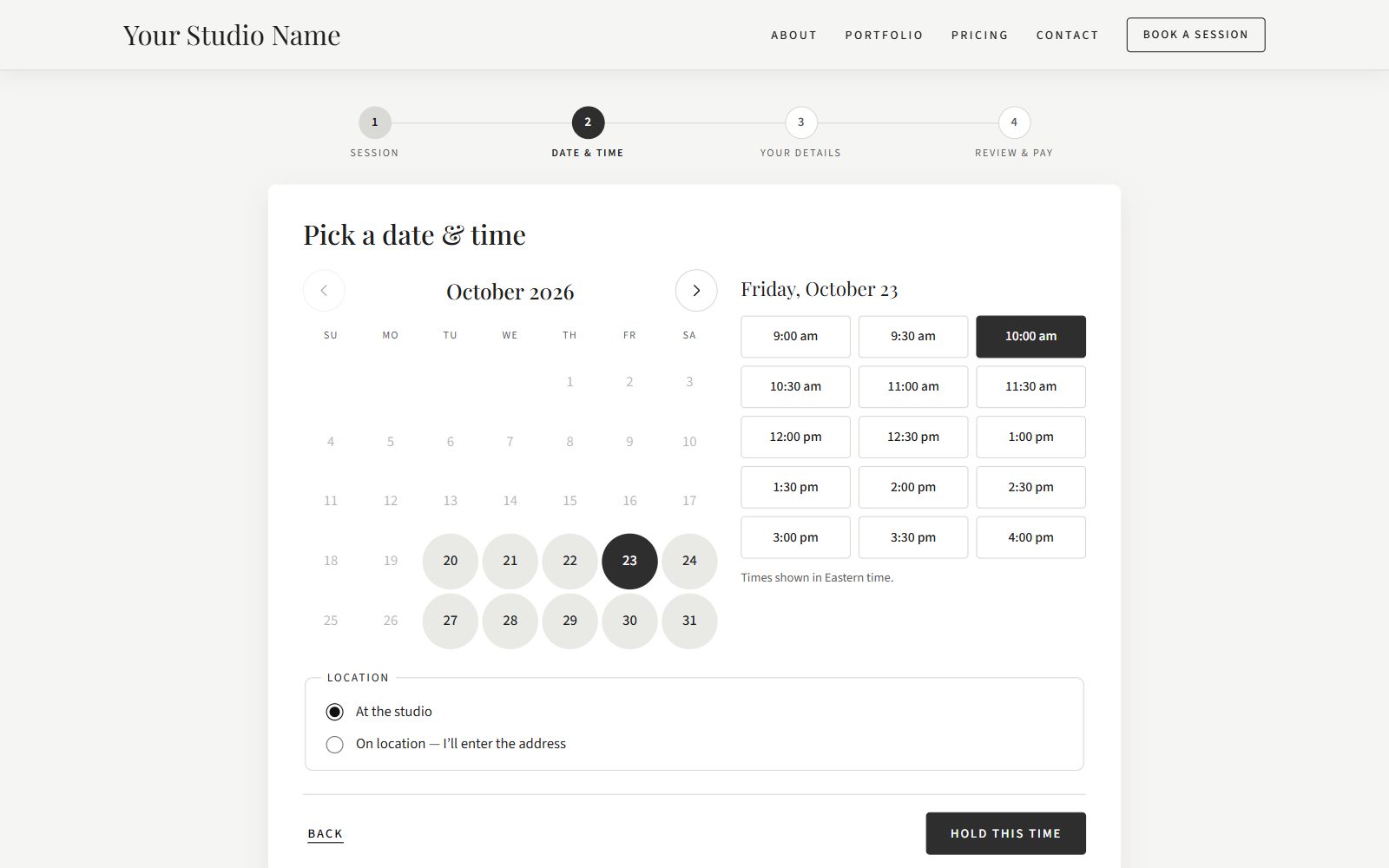
A simple booking page on your own website.
Clients pick a package and any add-ons.
Only times you're actually free can be chosen.
Contact info, notes on their vision, and agreement to your terms.
Or simply request the booking, if the package has no deposit.
Every confirmation email includes an add-to-calendar file, and the chosen time is held for 20 minutes while the client pays, so nothing gets double-booked.
Set when you work once, and the calendar only offers times that fit.
Your personal calendar and your booking calendar stay in step.
Automatic emails keep clients informed and cut down on no-shows.
Everything about a booking in one place.
Clients book from your website at any hour, on any device. You get a notification, the client gets a confirmation, and the session appears on your calendar.
Connect your own PayPal, Square or Stripe account. Client payments go straight to you, and we're never in your money flow.
Ask for a fixed deposit, a percentage, full payment or nothing, package by package.
Email a client a link to pay the remaining balance online.
A booking is confirmed only after the payment is checked with your provider.
Refund a payment from your admin, with a full history on every booking.
Try the whole booking and payment flow in your provider's test mode before going live.
Card details go to your payment provider, never to your website.
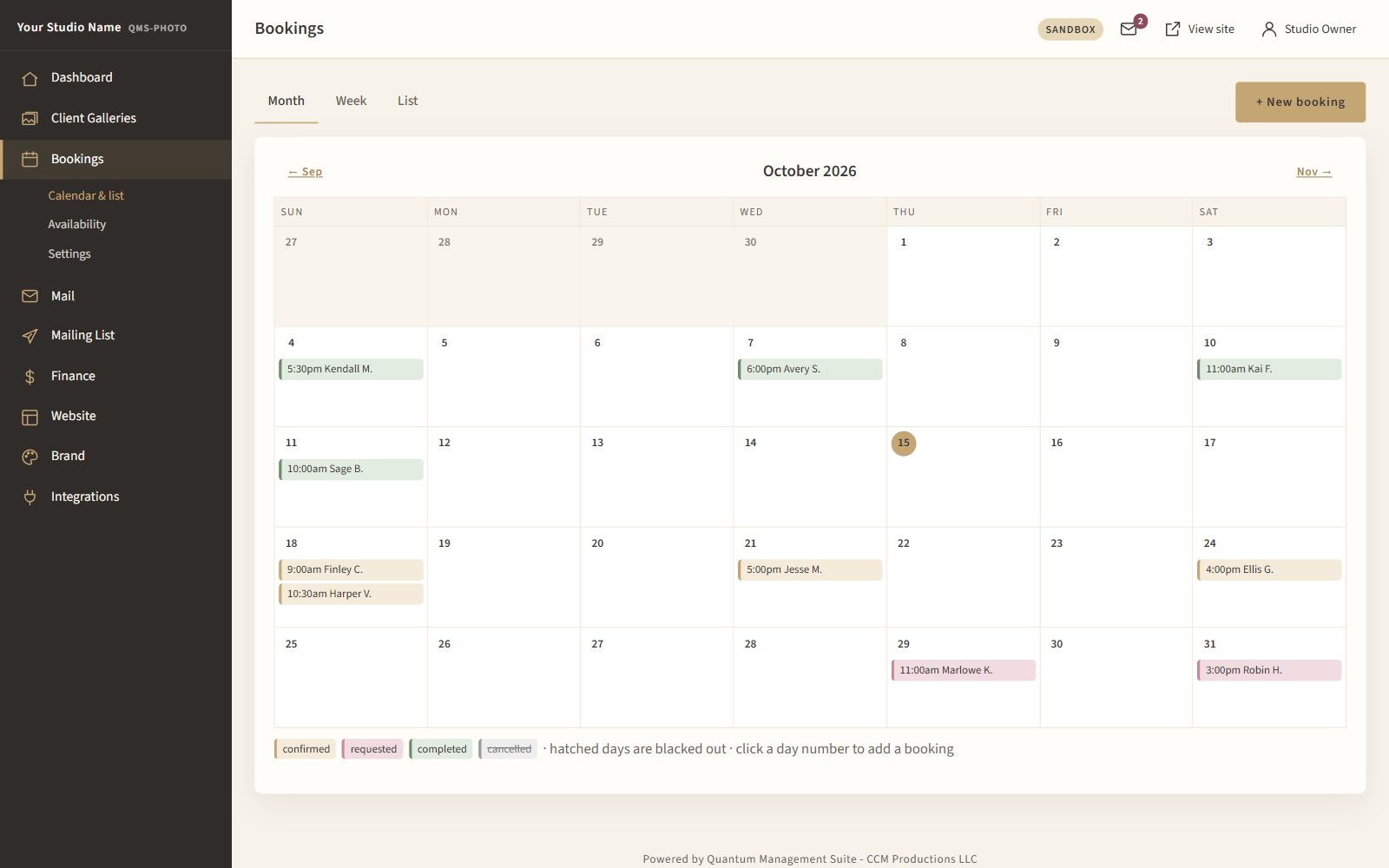
See every session on one calendar, with booking statuses and blocked days clearly marked. Click a day to add a booking yourself.
See how QMS-Photo takes bookings and deposits for you, day and night.
Contact Us for Pricing