
Communication

Every conversation, in one place.

Inquiries, your email, your mailing list and your campaigns, all in one admin and all from your own domain.

Your clients

Stay close to every client.

From the first inquiry to the next mini-session announcement, every conversation happens in one place.

01

Contact inquiries

Every message from your contact form lands in an organized inbox.

  • Clients choose a session type and preferred date
  • An automatic reply lets them know you got it
  • Mark inquiries new, replied or archived
  • Reply right from your admin
  • Turn an inquiry into a booking
02

Built-in mailbox

Read and send email from your own address without leaving your admin.

  • Your inbox, folders and search
  • Attachments and inline images
  • Compose with your signature and saved quick replies
  • Sent messages saved to your mailbox
  • Address suggestions from clients and inquiries
03

Mailing list

Build a list of people who want to hear from you.

  • A signup form in your website footer
  • Opt-in checkboxes on contact, booking and gallery forms
  • Email confirmation before anyone is added
  • Tags to group your subscribers
  • Import and export CSV
  • One-click unsubscribe
04

Email campaigns

Announce mini-sessions, seasonal offers and news.

  • Compose with photos, text and buttons
  • Send to everyone or to a tag
  • Send yourself a test first
  • Schedule a send for later
  • See deliveries, opens, clicks, bounces and unsubscribes
Inquiries

Every inquiry, in one inbox.

Messages from your contact form land in your admin, with the session each client is asking about and where every conversation stands. Nothing gets buried in a busy email inbox.
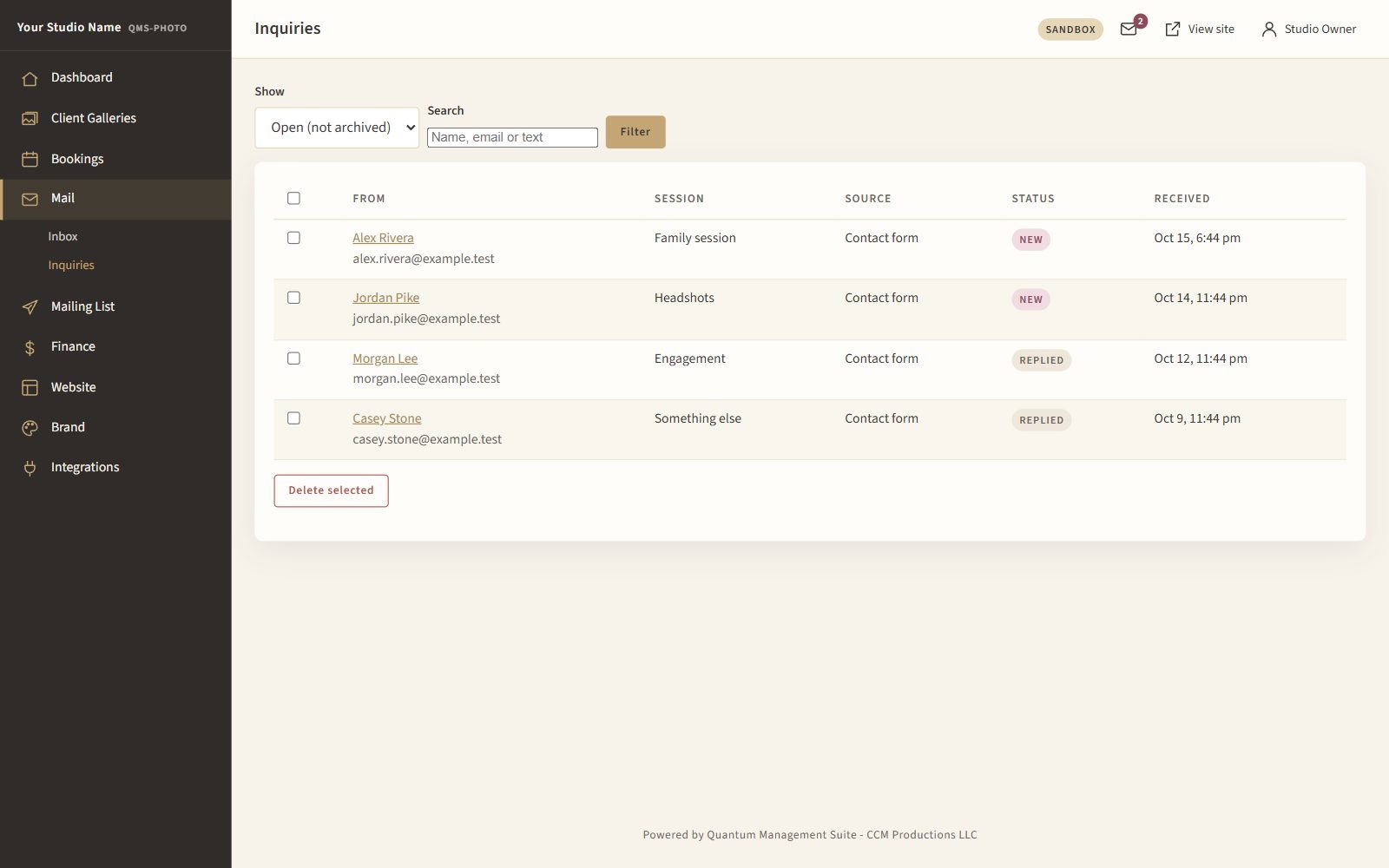
  • New, replied and archived at a glance
  • Search by name, email or message
  • Reply from your admin, from your own address
  • Turn an inquiry into a booking
QMS-Photo inquiries inbox
Plate I · The inquiries inbox
Automatic emails

Automatic emails, in your words.

Every email the system sends is a template you can edit, wrapped in your branding.

Gallery invite

The link, the password and the expiry date.

Booking confirmation

With an add-to-calendar file.

Session reminder

On the days you choose.

Inquiry reply

An instant "we got your message."

Gallery expiry

A reminder to download photos before the gallery closes.

Thank-you follow-up

Sent after the session.

Every template has an editable subject and body, placeholders for names and links, your logo and branding, and a reset-to-default button.

Delivery

Email that reaches the inbox.

Emails from your site go out through a professional sending service on your own domain, set up and checked for you.
  • Sent from your own address, not a generic one
  • SPF, DKIM and DMARC set up for your domain
  • Your domain's email reports watched daily
  • Bounces and unsubscribes handled automatically
Book a Demo
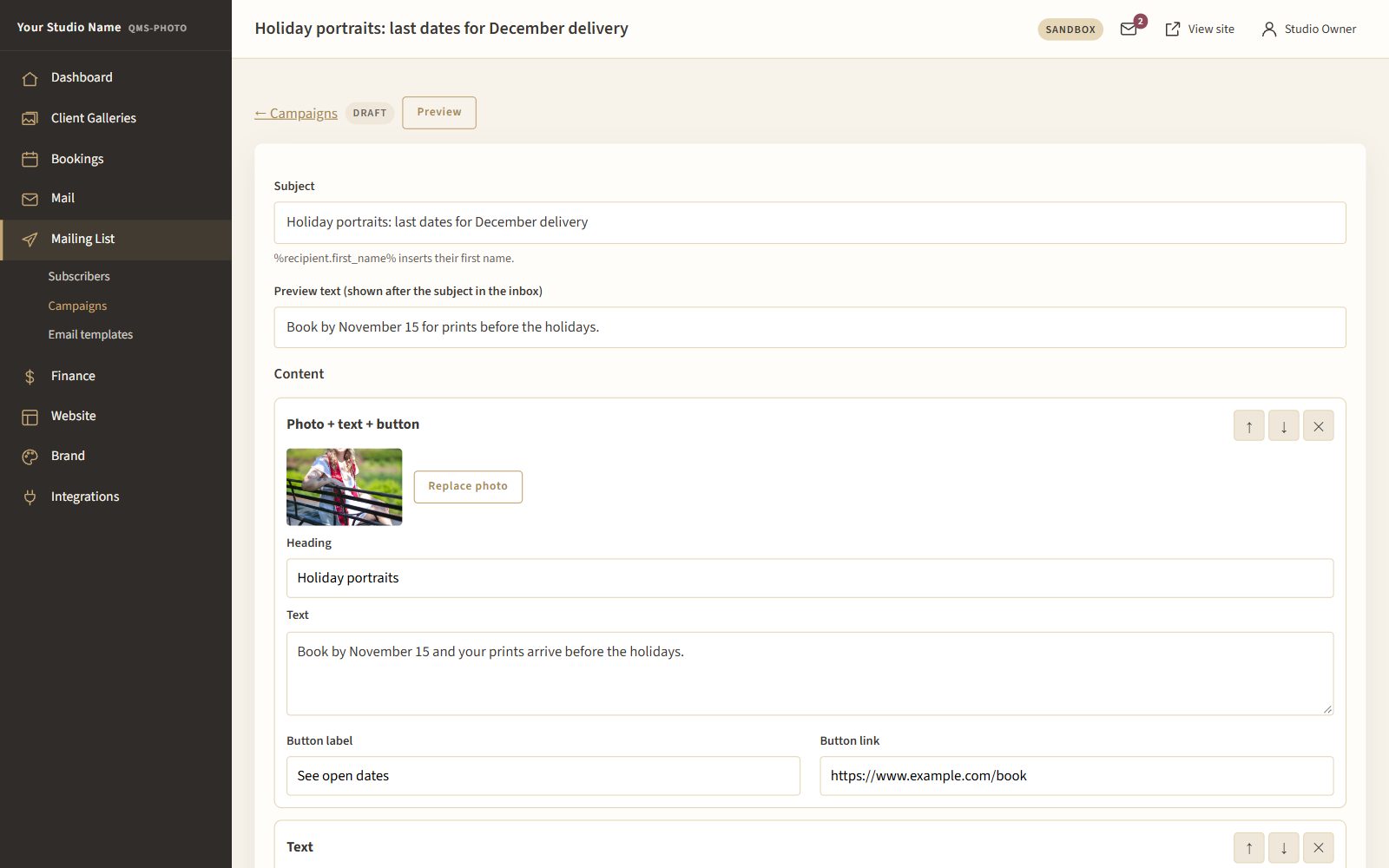
QMS-Photo email campaign editor
Plate II · The campaign editor
Let's talk

Ready to simplify client communication?

See how QMS-Photo keeps every conversation in one place.

Contact Us for Pricing