Order Management

Track every order from purchase to delivery. Multiple fulfillment options and complete order history at your fingertips.

From Click to Delivered

QMS-SHOP tracks every order through its complete lifecycle with clear status updates.

πŸ›’

Pending

Order placed, awaiting processing

β†’
βš™οΈ

Processing

Order being prepared

β†’
πŸ“¦

Ready

Packed and ready to ship

β†’
🚚

Shipped

On its way to customer

β†’
βœ…

Completed

Delivered successfully

πŸ“‹

Complete Order Details

View everything about an order in one place. Customer information, items ordered, payment status, and fulfillment details.

  • Order number and date/time
  • Complete item list with quantities
  • Customer contact information
  • Billing and shipping addresses
  • Payment transaction details
  • Order notes and special instructions
🚚

Flexible Fulfillment

Support multiple ways to get products to your customers. Configure the options that work for your business.

  • Shipping - Ship anywhere with calculated rates
  • Local Delivery - Deliver within your service area
  • Store Pickup - Customers pick up at your location
  • Per-option pricing and settings
  • Free shipping thresholds
πŸ“§

Automated Notifications

Keep customers informed automatically at every stage of their order journey.

  • Order confirmation email
  • Payment receipt
  • Shipping confirmation with tracking
  • Delivery notifications
  • Customizable email templates
πŸ’°

Refund Management

Handle returns and refunds professionally when needed. Process full or partial refunds with complete tracking.

  • Full refunds with one click
  • Partial refund support
  • Refund reason tracking
  • Automatic inventory restoration
  • Refund confirmation emails

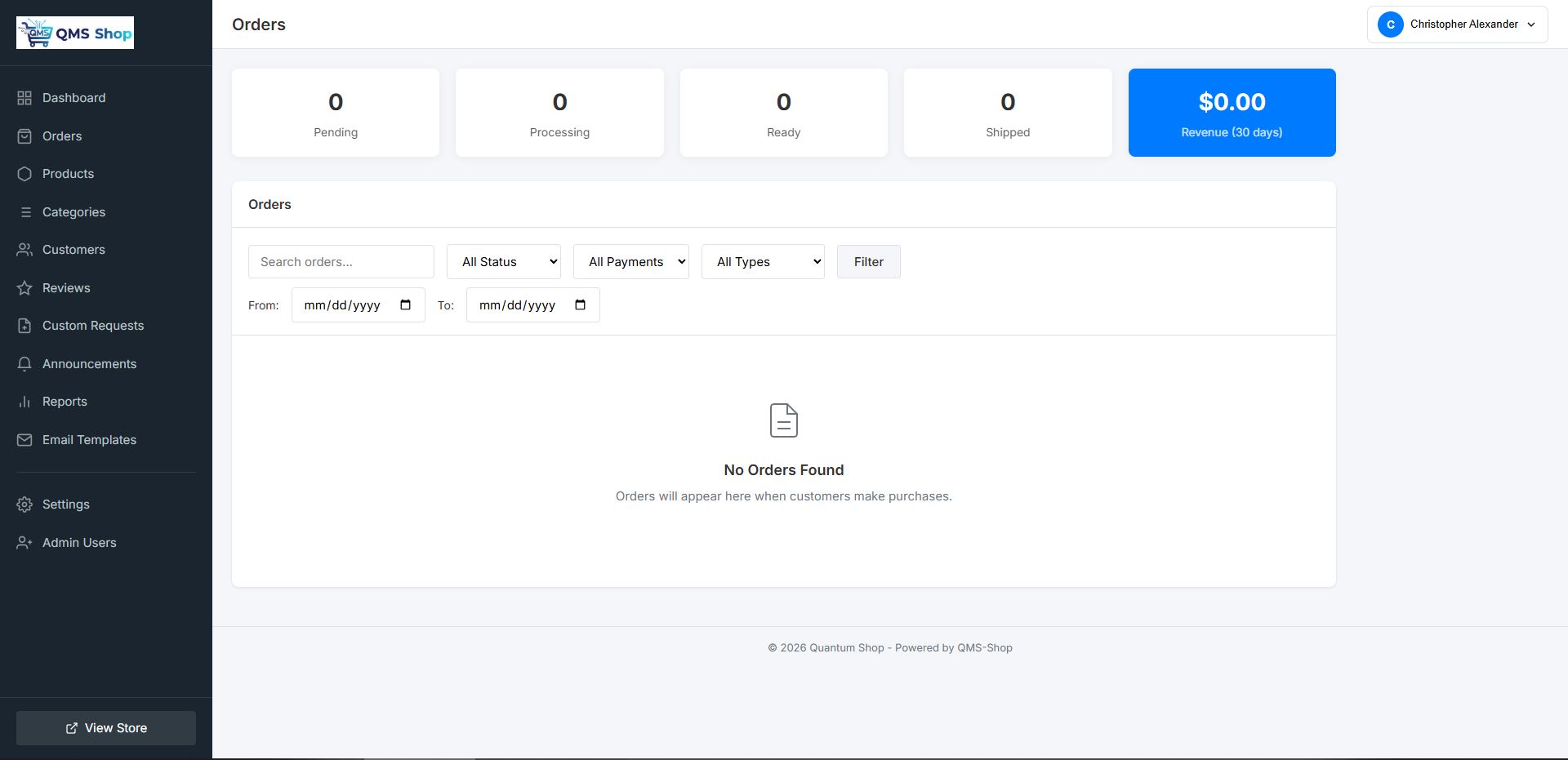
Powerful Order Dashboard

See your order status at a glance. Filter, search, and manage orders efficiently from one central location.

  • Real-time order count by status
  • 30-day revenue summary
  • Filter by status, payment, and fulfillment type
  • Date range filtering
  • Search by order number, customer, or email
  • Quick status updates
  • Pagination for large order volumes
See It In Action
Order Dashboard

Guest & Account Orders

Accept orders from everyoneβ€”whether they create an account or check out as a guest.

πŸ‘€ Guest Checkout

  • No account required
  • Faster checkout process
  • Order confirmation via email
  • Order lookup by email + order number

πŸ‘₯ Account Orders

  • Full order history
  • Saved addresses
  • Faster repeat purchases
  • Track orders from account
  • Review products purchased

Admin Order Tools

Everything you need to efficiently manage orders from your admin panel.

πŸ” Advanced Search

Find orders by number, customer name, email, or date range.

πŸ“Š Status Filters

View orders by statusβ€”pending, processing, shipped, or completed.

πŸ“ Order Notes

Add internal notes to orders for your team's reference.

πŸ“„ Export Orders

Export order data to CSV for accounting or analysis.

πŸ–¨οΈ Print Packing Slips

Generate packing slips for easy order fulfillment.

πŸ“§ Resend Emails

Resend order confirmation or shipping notification emails.

Ready to Streamline Your Orders?

See how QMS-SHOP makes order management effortless.

Book Your Free Demo